SeorangAbi AI Agent
SeorangAbi AI Agent
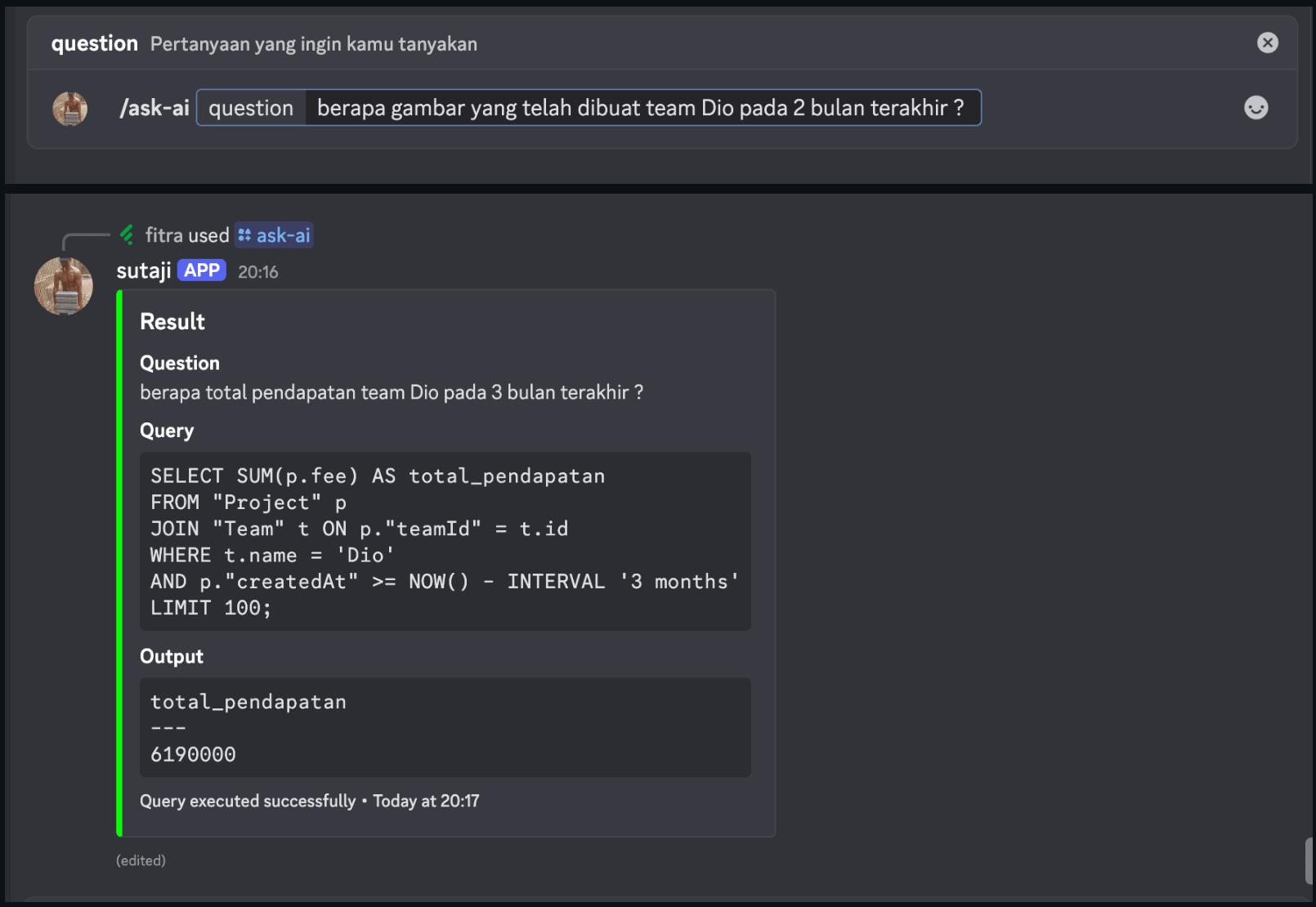
SeorangAbi AI Agent is a specialized component of the SeorangAbi platform that serves as an intelligent bridge between the SeorangAbi API and Large Language Models (LLMs). Its primary function is to transform natural language queries into optimized SQL statements, enabling team members to access database insights without SQL expertise.
This agent interprets user questions from Discord, processes them through an LLM, and generates secure, read-only SQL queries that interact with the SeorangAbi database system.
Flow
Preview
Configuration
- Copy the
.env.examplefile to.envand fill in the necessary environment variables, including API keys and model parameters.
Installation
-
Clone the repository:
git clone <repository-url> cd gemini-agent -
Create a virtual environment (optional but recommended):
python -m venv venv source venv/bin/activate # On Windows use `venv\Scripts\activate` -
Install UV if you don’t have it yet:
curl -LsSf https://astral.sh/uv/install.sh | sh -
Install the required dependencies using UV:
uv pip install -e .Or from requirements.txt:
uv pip sync requirements.txt
Usage
- To start an api, run:
uv run -m src.api
Docker Deployment
You can run the agent API using Docker:
-
Make sure you have Docker and Docker Compose installed on your system.
-
Build and start the container:
docker-compose up -d-
The API will be available at
http://localhost:3021. -
View logs:
docker-compose logs -f- Stop the container:
docker-compose down